

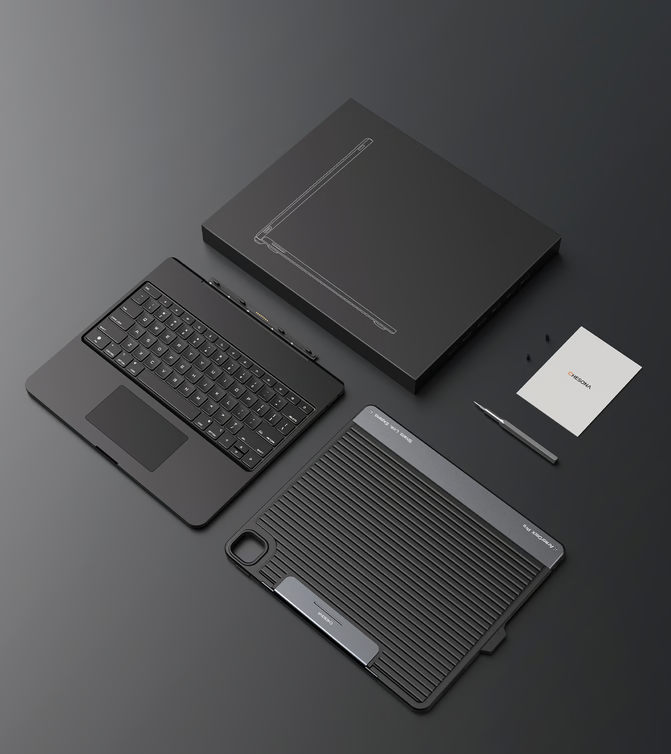
In today’s mobile and remote work era, your iPad can do much more than just media and browsing — if you pair it with the right accessories. The Chesona H3 Pro is a cutting-edge 6-in-1 SSD docking keyboard case designed to drastically enhance your iPad’s productivity, connectivity, and storage options. Whether you’re a student, creative professional, or frequent traveler, this accessory promises to take your iPad experience to the next level.
In this review, we break down everything you need to know — from standout features to real-world performance, pros and cons, who it’s best for, and smart buying guidance. 📈
What Is the Chesona H3 Pro?
The Chesona H3 Pro is an all-inclusive accessory that turns your iPad into a lightweight workstation. It combines:
- A physical keyboard
- A docking hub
- SSD storage expansion
- Multiple USB ports
All in one sleek, portable case.
This solves a common problem for iPad users: how to connect peripherals, expand storage, and type comfortably — without juggling multiple adapters.
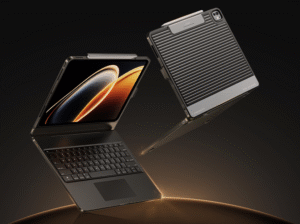
Key Features & Benefits
Here’s what makes the Chesona H3 Pro stand out:
🖱️ 1. SSD Docking Support
- Plug in an external SSD directly
- Speeds ideal for video editors, photographers, and content creators
- Expand your storage without cloud subscriptions
👉 Note: Not all SSDs perform the same. Use high-speed SSDs for best transfer rates.
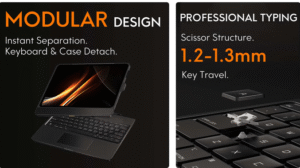
⌨️ 2. Physical Keyboard with Backlight
- Comfortable typing for long emails, documents, and notes
- Backlit keys for use in dim environments
- Works like a laptop keyboard — ideal for writers and professionals
🔌 3. Multi-Port Hub
The 6-in-1 docking includes:
- USB-C Power Delivery
- USB-A ports
- HDMI output (connect to an external monitor)
- SSD port
- Audio jack
This expands your iPad’s capabilities significantly.
📱 4. Secure iPad Case
- Protects your iPad from scratches and drops
- Keyboard doubles as a protective cover
- Sleek, compact design — perfect for on-the-go
📊 5. Boosted Productivity
This setup turns your iPad into a true productivity station — great for:
- Writing articles and emails
- Editing photos & video files from SSD
- Presentations via HDMI
- Multitasking with peripherals
Real-World Performance
In daily use, the Chesona H3 Pro delivers a solid productivity boost:
✔ Fast file transfers with compatible SSDs
✔ Comfortable typing experience
✔ Stable connection with external displays
✔ No lag or keyboard shortcuts issues
Users report better workflow when working with documents, video editing apps, and design tools — especially compared to using Bluetooth keyboards or standalone adapters.
Pros & Cons
| Pros | Cons |
| All-in-one solution | May be bulky for minimalists |
| SSD storage expansion | SSD performance depends on SSD model |
| Great keyboard feel | Slight learning curve with docking |
| Multiple ports for peripherals | Price higher than basic keyboard cases |
| Adds productivity like a laptop | Not universal for all iPad models (check compatibility) |
Who Should Buy the Chesona H3 Pro?
You’ll love the Chesona H3 Pro if you:
- Use your iPad for professional work
- Create or edit photos/videos
- Need extra storage on the go
- Prefer a real keyboard over onscreen typing
- Want to connect multiple peripherals
🔗 Check the latest price and deals here: Check here
This гаранtees you the best current price and supports this blog at no extra cost to you!
📌 Tip: Always buy from verified store links — this ensures warranty and genuine product support.
Final Verdict
The Chesona H3 Pro is more than just a keyboard case — it’s a productivity hub that unlocks your iPad’s full potential. With SSD docking, multi-port support, and a solid keyboard feel, it’s ideal for students, creatives, and professionals who want to do serious work on their tablet.
It’s not the cheapest add-on, but for the value and versatility it offers, it’s a worthy investment if you want to treat your iPad as a mini-laptop replacement.
⭐ Overall Rating: 4.6/5
Great build, smart design, and excellent productivity upgrades.

