

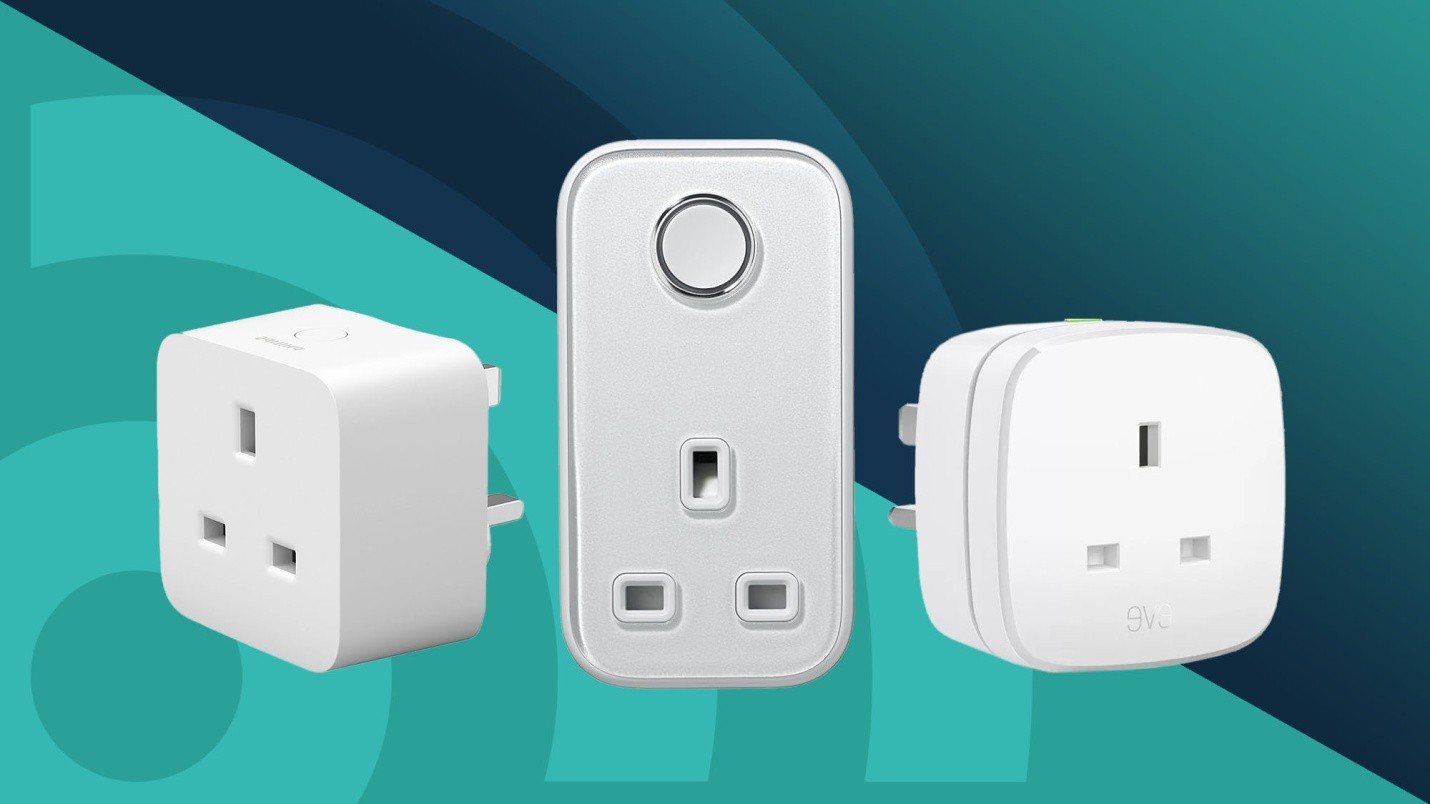
Smart plugs are one of the easiest and most affordable ways to turn an ordinary home into a smart home. They allow you to control lamps, fans, coffee makers, and other appliances remotely using your smartphone or voice assistant. In 2025, smart plugs under $20 offer impressive performance, energy monitoring, scheduling, and seamless integration with major smart home platforms. They simplify your life, help reduce electricity consumption, and give you greater control over your daily routines. Here’s a detailed look at the best smart plugs for home automation under $20, along with how to choose the right one for your needs.
Key Features to Look For
When buying a smart plug, the most important features are connectivity, compatibility, and control options. Choose a plug that connects directly to Wi-Fi, eliminating the need for an additional hub. This makes setup faster and simpler. Compatibility is equally essential; ensure the plug works with popular voice assistants such as Amazon Alexa, Google Assistant, or Apple HomeKit. You should also check if it supports scheduling and timer functions, which let you automate when devices turn on or off. Energy monitoring is another valuable feature that helps track your power usage and identify which devices consume the most electricity. A compact design that doesn’t block adjacent outlets is also beneficial for small spaces.
Why Smart Plugs Under $20 Are Worth It
The smart home market has evolved to the point where affordability no longer means sacrificing quality. For under $20, you can find smart plugs that deliver reliable connectivity, responsive control, and solid performance. This price range is ideal for beginners who want to explore home automation without a large investment. You can easily automate multiple devices across your home, from lamps to kitchen appliances, without exceeding your budget. Despite their low price, many smart plugs in this category still include advanced features such as voice control, scheduling, and even integration with smart ecosystems through platforms like Alexa or Google Home.
Leading Budget-Friendly Smart Plug Options
Several budget smart plugs stand out for their performance and ease of use. The Kasa Smart Plug Mini is a top choice for those who value reliability and ease of setup. It connects directly to Wi-Fi, supports voice assistants, and allows you to set routines and schedules. The Wyze Plug is another excellent option that combines affordability with strong app support and compact design. The Meross Smart Plug often sells near the $20 range and is well-known for its compatibility with HomeKit, making it perfect for Apple users. TP-Link’s Tapo Smart Plug provides great value for money, offering simple installation and robust performance without requiring a separate hub. The Gosund Smart Plug is another budget-friendly model that supports energy monitoring, making it ideal for those focused on reducing electricity consumption.
Matching the Plug to Your Needs
Different homes and users have different requirements. If your main goal is to control lights or small appliances, a basic Wi-Fi smart plug with scheduling and app control will suffice. However, if you want to track how much energy your devices use, select a plug with real-time energy monitoring. For voice-command enthusiasts, ensure the plug integrates with your preferred smart assistant. If you plan to use multiple plugs in a tight area, choose models with a compact design that won’t block neighboring sockets. Understanding your needs before purchase ensures you select a plug that balances functionality with simplicity.
Connectivity and Smart Home Integration
Connectivity is at the heart of smart plug performance. Most budget plugs under $20 use Wi-Fi connections, which provide easy setup through mobile apps. Some higher-end versions may also support Bluetooth or the newer Matter protocol for better compatibility across ecosystems. Before installation, confirm that your Wi-Fi signal is strong near the outlet location. For users with Alexa, Google Assistant, or HomeKit, integration allows you to control devices hands-free with voice commands. You can also create automation routines—such as having your coffee maker turn on automatically in the morning or your lamp switch off when you leave the house. The convenience of these integrations transforms everyday routines into effortless automation.
Safety and Power Rating Considerations
Even when shopping on a budget, safety should be a top priority. Always choose smart plugs with certifications such as UL or ETL, which ensure they meet electrical safety standards. Check the maximum current rating—most quality smart plugs can handle up to 15 amps, suitable for lights, fans, and small electronics. Avoid using them with high-power appliances like space heaters or air conditioners unless the plug is specifically rated for heavy loads. Many modern smart plugs also feature overload protection and fire-resistant casings for added safety. Ensuring these features will give you peace of mind while keeping your home both smart and secure.
Saving Energy and Reducing Costs
One of the biggest advantages of smart plugs is their ability to help you save on energy bills. Many devices draw standby power even when turned off. By automating schedules and monitoring power usage, you can cut down on this waste. For example, you can set your television or charger to switch off automatically at night. If your smart plug supports energy tracking, review your consumption data regularly to find areas where you can save more. Over time, these small adjustments lead to noticeable reductions in electricity costs, making smart plugs not just convenient but also economically beneficial.
Installation and Setup Tips
Setting up a smart plug is straightforward and requires only a few minutes. Plug it into an outlet, download the companion app, and follow the setup instructions to connect it to your Wi-Fi network. Once connected, assign a name to each plug for easy recognition—for example, “Desk Lamp” or “Coffee Maker.” After setup, you can use your smartphone or voice commands to control the plug remotely. If you have multiple plugs, organize them by room within the app to simplify management. Maintaining a stable Wi-Fi connection ensures smooth performance and reduces the chances of disconnection issues.
Avoiding Common Issues
While smart plugs are user-friendly, certain challenges can occur. Some users experience connectivity drops if their Wi-Fi signal is weak or overloaded. Placing your router closer to your devices or using a range extender can solve this issue. Another common mistake is overloading the plug by connecting high-wattage devices beyond its capacity, which may lead to overheating. Always check the plug’s specifications before use. Additionally, avoid using smart plugs in damp or outdoor areas unless they are specifically designed for those conditions. Regularly updating the device’s firmware through the app also helps maintain performance and security.
Conclusion
Smart plugs under $20 have transformed home automation, making it affordable, efficient, and convenient for everyone. They allow you to control devices remotely, create schedules, and integrate with voice assistants—all while helping you save energy and maintain a clutter-free setup. With features such as energy monitoring, compact design, and voice compatibility, these budget-friendly plugs deliver exceptional value for their price. Whether you’re starting your smart home journey or expanding an existing setup, the best smart plugs under $20 offer everything you need to simplify daily routines. They prove that you don’t need to spend a fortune to enjoy the comfort and efficiency of a connected home.

